 [June - 2nd week tip]
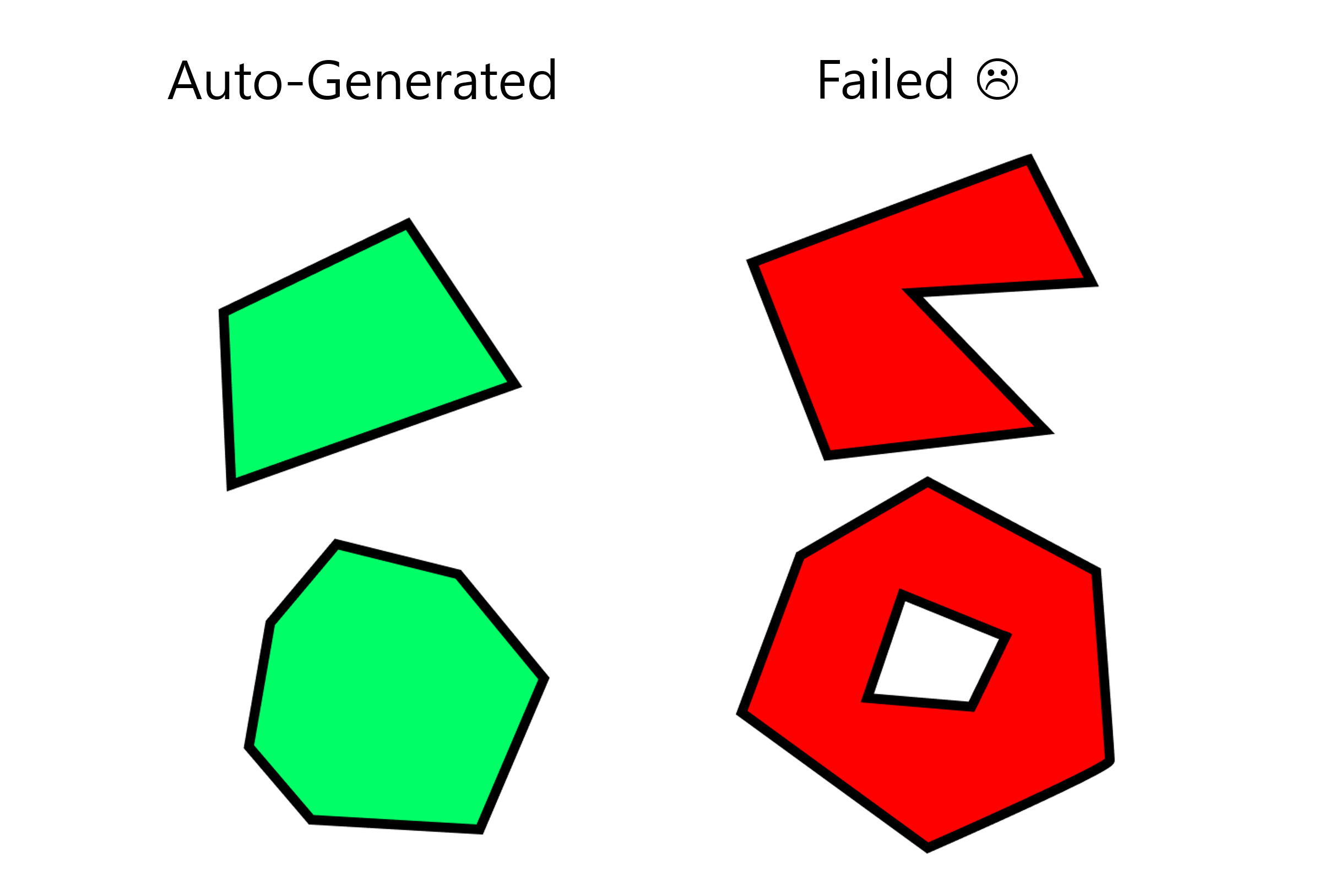
For large meshes like terrain, make sure they’re built in a way for Convex collisions to be generated automatically in OVERDARE Studio.
 What You Need to Know:
When you import a mesh into OVERDARE Studio, collision shapes are auto-generated based on its geometry. If the mesh is Convex (bulged/rounded shape), collision generation will work like the attached image.
Default Convex generation rules:
Up to 32 Convex shapes per mesh
Each Convex can have up to 32 vertices
That means a mesh can support up to 1024 total vertices (32 Convex × 32 Vertices)
If the mesh exceeds the limit, collision generation may fail or work incorrectly.
 Heads UP!!
This tip is recommended for optimization, but not always appropriate for precise collisions.
If your mesh is complex or needs accurate hit detection, we recommend creating your own custom collision shapes instead.
 Extra Tips:
Keep vertex counts in check if you want auto-collision to work properly.
For accurate hitboxes or detailed interactions, consider using manual collisions instead of relying on Convex.
Convex is great for general terrain or simple props — just design accordingly!
 Learn more:
You know where to find us for more questions or suggestions.
Happy building!