Hello creators,
From now on, whenever a crash occurs in OVERDARE Studio, a Crash Reporter window will appear.
When this window pops up, please follow these steps as shown in the attached image:
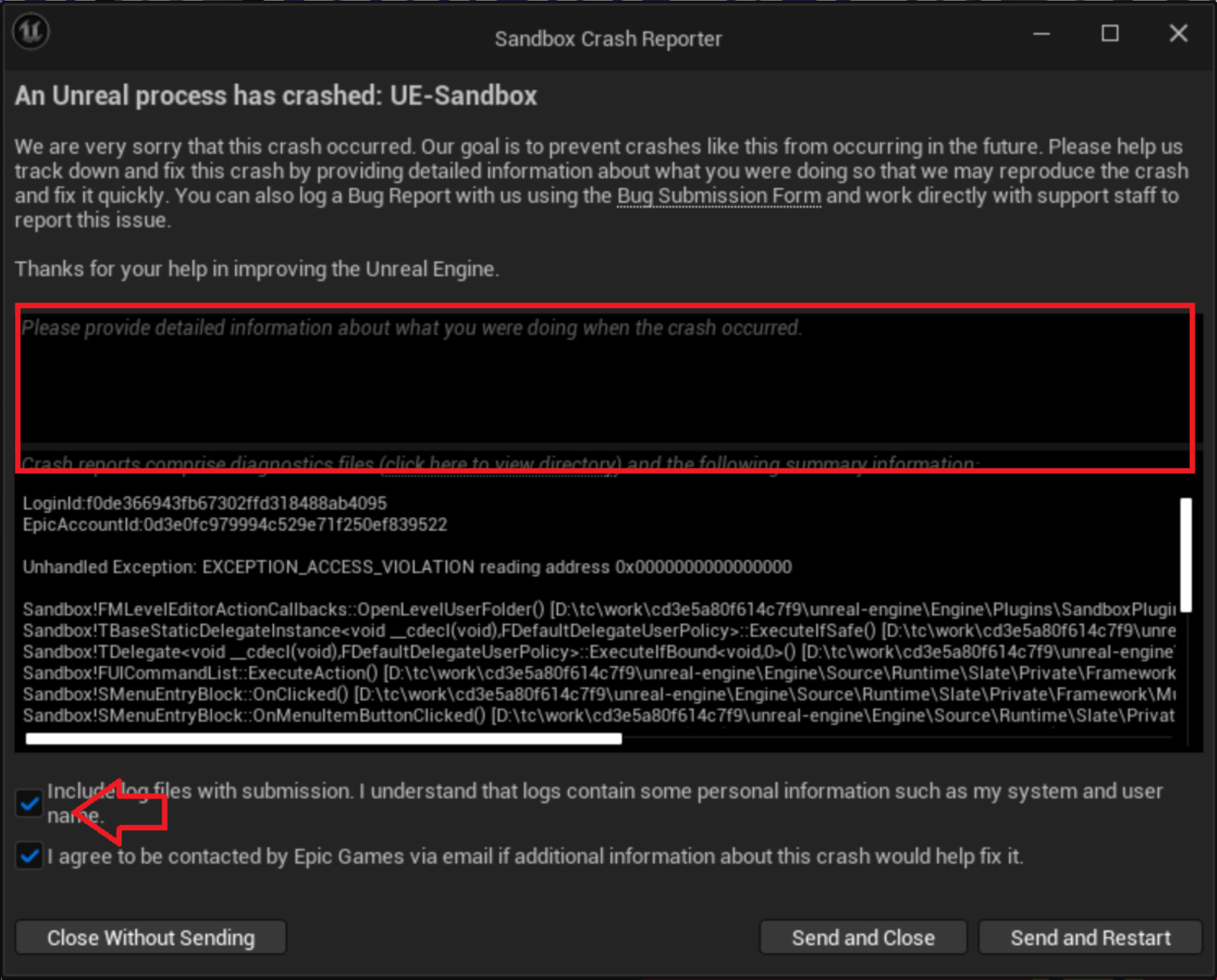
- In the text input field, describe in detail what you were working on and what happened just before the crash.
- Check the log upload option indicated by the arrow icon.
- Click “Send and Close” or “Send and Restart” to submit the crash report.
Your feedback is incredibly valuable and helps us build a more stable and developer-friendly environment.
We know it’s a bit of a hassle, but we kindly ask you to submit crash info whenever it happens. 
Thank you always!
— OVERDARE Studio Team